Pokemon Pokopia is unlike any Pokemon game before it. There are no gyms, no battles, and no rival standing in your way. Instead, you wake up as a Ditto — transformed to look human — in a world that has been abandoned and left to decay. Your job is to rebuild it, one habitat at a time, and convince Pokemon to call it home again.
With 311 Pokemon to befriend, four sprawling regions to explore, and over 600 crafting recipes to discover, the opening hours can feel overwhelming. This beginner guide covers everything you need to know to get your first day right, from picking the best starter to setting up a farm that runs itself.
What Is Pokemon Pokopia?
Pokemon Pokopia is a life simulation and town-building game for the Nintendo Switch 2, released on March 5, 2026. It sits at 89 on Metacritic and blends elements of farming, crafting, building, and cooking into a cozy Pokemon experience.
You play as a Ditto who has taken on a human form. The world around you — once full of Pokemon — has been abandoned. Your goal is to restore it by building habitats, growing food, crafting items, and creating the kind of place where wild Pokemon actually want to live.
Think of it as a mix of Animal Crossing and Minecraft, wrapped in a Pokemon world. The building system uses voxel-style blocks, so you have a surprising amount of creative freedom when constructing structures.
Choosing Your Starter Pokemon
Early in the game, you pick one of eight starter Pokemon. This choice matters more than you might expect, because each starter has a unique Specialty that directly affects gameplay.
| Starter | Type | Specialty | Best For |
|---|---|---|---|
| Bulbasaur | Grass/Poison | Grow (accelerates crops) | Farming-focused players |
| Charmander | Fire | Smelt (speeds up furnace) | Crafting-focused players |
| Squirtle | Water | Water Gun (irrigates crops) | Farming + exploration |
| Torchic | Fire | Flame (lights dark areas) | Cave exploration |
| Piplup | Water | Surf (crosses water early) | Early exploration |
| Rowlet | Grass/Flying | Scout (reveals map areas) | Completionists |
| Scorbunny | Fire | Sprint (movement speed) | Speed runners |
| Sprigatito | Grass | Harvest (auto-collects crops) | Low-effort farming |
Our recommendation: Bulbasaur is the strongest pick for new players. The Grow Specialty cuts your crop wait times significantly, which gives you a steady flow of resources from the very first day. Squirtle is a solid second choice since Water Gun handles irrigation without needing to craft watering tools.
If you are more interested in building and crafting than farming, Charmander’s Smelt Specialty saves hours at the furnace over the course of the game. For a full breakdown of the best companions and which starters stay useful into mid-game, check out our full Pokemon tier list.
Your First Day — What to Do First
The opening hours set the pace for everything that follows. Here is a step-by-step priority list for day one.
Step 1: Learn Ditto’s Inhale ability. Hold the Y button to use Inhale, which vacuums up loose items, resources, and materials around you. This is far faster than picking things up one at a time and should become muscle memory.
Step 2: Visit the Pokemon Center. Head to the Pokemon Center as soon as it becomes available. Open the PC shop and buy Packing Tips — this expands your inventory size. A small inventory is the single biggest bottleneck in the early game.
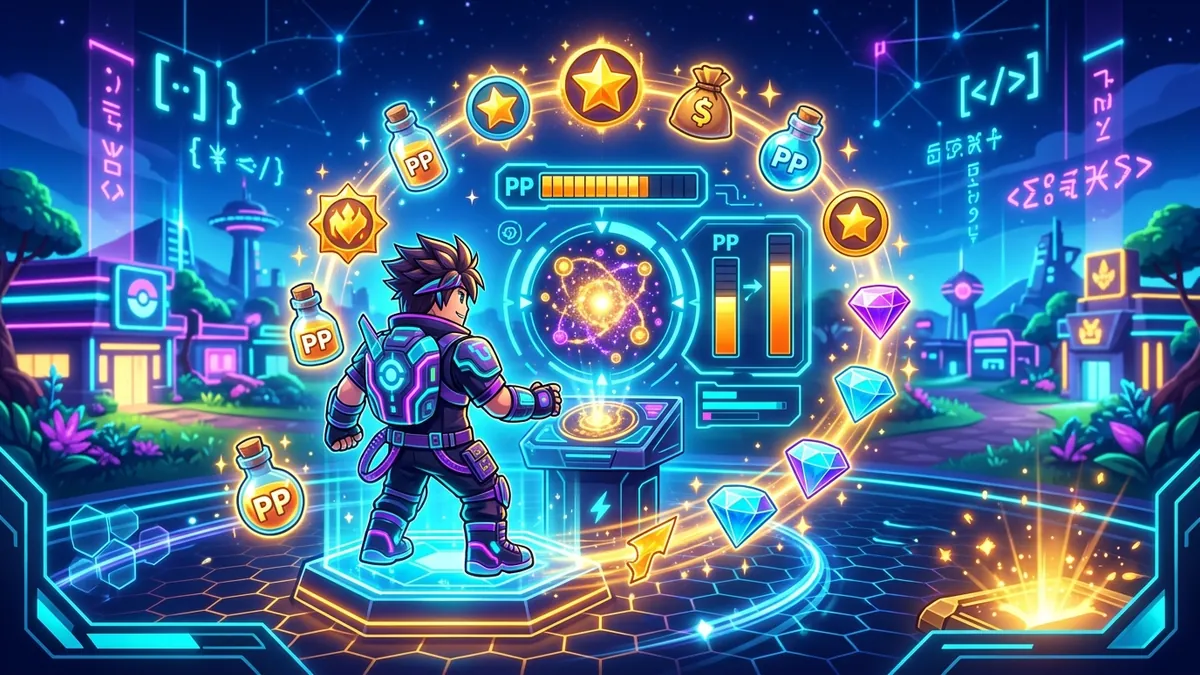
Step 3: Buy PP Up. While you are at the PC shop, also grab PP Up items. PP (Power Points) is your energy meter, and it drains quickly when you are chopping, mining, building, or farming. PP Up increases your maximum energy, which means fewer trips back to rest.
Step 4: Set up a central base. Build your first structures near the Pokemon Center. Staying close to the center keeps your crafting bench, storage, and rest area within easy reach. Spreading out too early wastes travel time.
Step 5: Craft storage boxes. This is critical. Craft at least three or four storage boxes and place them directly next to your crafting bench. When a storage box is adjacent to a crafting bench, the bench automatically pulls materials from it. No more digging through your inventory mid-craft.
Step 6: Start gathering. Collect everything you see. Wood, stone, berries, seeds — hoard all of it. Early resources fuel your first crafting recipes and habitat builds.
Understanding the PP (Energy) System
PP works like a stamina bar. Every action — chopping trees, mining rocks, tilling soil, building — costs PP. When it hits zero, you move slower and cannot perform actions until you recover.
There are three ways to restore PP:
- Eating food. Cooked meals restore more PP than raw ingredients. Even a simple Berry Salad gives a decent boost.
- Resting. Sleeping in a bed fully restores PP but advances the in-game clock.
- PP-restoring items. Lemonade and other drinks can be crafted later for on-the-go recovery.
The most important early investment is buying PP Up from the PC shop. Each PP Up permanently raises your maximum PP, which means you can work longer before needing to stop. Prioritize this alongside Packing Tips — the two upgrades together transform your efficiency.
Befriending Pokemon and the Habitat Dex
Since there is no combat in Pokopia, you attract Pokemon by building habitats they enjoy. Each of the 311 Pokemon has specific environmental preferences — certain terrain types, decorations, plants, and structures.
How to check what a Pokemon wants: Press the + button to open the Habitat Dex. This shows you every Pokemon you have encountered, along with the habitat conditions needed to attract them. Some want forests with tall trees. Others prefer rocky caves. A few only show up near water features.
Using Honey to summon Pokemon: Once you have built a suitable habitat, place Honey near it. Honey acts as a lure that draws specific Pokemon to the area faster. Without Honey, Pokemon still arrive on their own — it just takes longer.
When a Pokemon moves into your habitat, it becomes a friend and gains a Specialty. These Specialties range from helping with farming to assisting with mining or construction. Building a diverse team of befriended Pokemon is key to unlocking the full crafting and building potential of the game.
For a complete list of every Pokemon and where to find them, see our all Pokemon locations guide.
Farming Basics — Unlocking and Setting Up
Farming is not available from the start. You need to find Drilbur in the eastern part of the Withered Wasteland (the first region). Drilbur teaches you the Rototiller ability, which lets you till soil and plant seeds.
Once you have Rototiller, here is how to get your farm running:
- Find flat ground near your base. You want your farm within easy walking distance of your crafting bench and storage.
- Till the soil using Rototiller on grass or dirt tiles.
- Plant seeds. You can find seeds by foraging, buying them from the PC shop, or receiving them from befriended Pokemon.
- Water your crops. Use a watering can (crafted) or Squirtle’s Water Gun ability. Unwatered crops grow much slower.
- Wait and harvest. Different crops have different growth times.
| Crop | Growth Time | Used For | Where to Find Seeds |
|---|---|---|---|
| Oran Berry | 1 day | Cooking, PP recovery | Foraging (common) |
| Tiny Mushroom | 1.5 days | Cooking, crafting | Withered Wasteland |
| Apricorn | 2 days | Pokeball crafting | Rocky Ridges |
| Mago Berry | 2 days | Advanced cooking | Bleak Beach |
| Honey | 3 days | Pokemon luring | Befriend Combee |
Pro tip: If you picked Bulbasaur, its Grow Specialty reduces all crop timers. Combined with Sprigatito’s Harvest Specialty (auto-collect), you can build a nearly hands-free farm by mid-game. Check our complete crafting recipes guide for bench layouts, material loops, and long-term base planning.
Crafting and Recipes — Getting Started
Pokopia has over 600 crafting recipes, but you do not start with most of them. Recipes unlock through four main sources:
- Story progression. Main quests grant essential recipes automatically.
- The PC shop. Some recipes can be purchased with Life Coins.
- Exploration. Glowing Pokeballs scattered across regions contain recipe cards.
- Befriending Pokemon. Certain Pokemon teach you unique recipes when they join your habitat.
The crafting bench is your main station. Place it early and, as mentioned, surround it with storage boxes. The auto-pull feature means you never have to manually move materials from storage to the bench — the system does it for you as long as the storage box is one tile adjacent.
Early recipes to prioritize:
- Wooden Storage Box — More storage space (craft several)
- Stone Furnace — Required for smelting ores and cooking
- Watering Can — Essential if you did not pick Squirtle
- Wooden Bridge — Opens up shortcuts across rivers
- Basic Pokeball — Needed for certain befriending quests
For a searchable database of every recipe and its ingredients, visit our complete crafting recipe list.
Building and Construction Tips
The building system in Pokopia uses a voxel-style grid, similar to Minecraft but with rounder, more stylized blocks. You can build structures of almost any shape, and buildings serve both functional and aesthetic purposes — Pokemon are attracted to habitats that look good.
Key building controls:
- ZL — Toggles snap-to-grid mode. Use this constantly. It aligns blocks perfectly and prevents awkward gaps.
- ZR — Rotates the selected block.
- Right stick — Adjusts camera angle while building.
Building tips for beginners:
- Build centrally first. Your Pokemon Center, crafting bench, storage, and farm should all be within a short walk of each other. Efficiency matters early on.
- Use snap-to-grid (ZL) for everything. Freehand building looks messy and creates gaps that waste materials.
- Think about habitat requirements. Before building decoratively, check the Habitat Dex to see which structures and decorations attract the Pokemon you want. A pretty house that does not meet habitat conditions is just a pretty house.
- Elevate storage. Building a second-floor storage room keeps your ground floor clean for crafting and cooking stations.
As you progress into later regions like Rocky Ridges and Sparkling Skylands, you unlock more block types, decorations, and furniture. The creative ceiling is genuinely impressive for a Pokemon game.
Exploring the Four Regions
Pokopia’s world is divided into four distinct regions, each with unique Pokemon, resources, and environmental challenges.
| Region | Terrain | Key Resources | Notable Pokemon |
|---|---|---|---|
| Withered Wasteland | Dry plains, dead forests | Wood, stone, basic seeds | Drilbur, Cubone, Sandshrew |
| Rocky Ridges | Mountains, caves | Ores, gems, Apricorns | Geodude, Onix, Aron |
| Bleak Beach | Coastal, tide pools | Sand, shells, Mago Berries | Shellder, Staryu, Wingull |
| Sparkling Skylands | Floating islands, clouds | Rare crystals, sky flowers | Togetic, Swablu, Drifloon |
You start in the Withered Wasteland, and new regions unlock as you progress the main story and rebuild enough of the world. Each region has its own set of befriendable Pokemon, so exploration is essential for filling out your Habitat Dex.
Exploration tip: Before heading into a new region, stock up on food for PP recovery and make sure your inventory is mostly empty. New regions are full of materials you will want to bring home, and running out of space forces an annoying trip back to base.
For detailed maps and hidden item locations in every region, see our all Pokemon locations guide.
Multiplayer and Cloud Islands
Pokopia supports 1-4 players, both locally and online. Multiplayer works cooperatively — all players share the same world and can build, farm, and befriend Pokemon together.
The standout feature is Cloud Islands. These are special zones hosted in the cloud that your friends can visit even when you are not online. Think of them as shared community spaces. You can build a habitat on your Cloud Island, and friends can stop by to help maintain it, harvest crops, or just hang out.
Multiplayer tips:
- Coordinate starter picks with your group. Having one Bulbasaur (farming), one Charmander (crafting), and one Squirtle (irrigation) covers most early-game needs.
- Share resources freely. Materials deposited in shared storage boxes are accessible to all players.
- Assign roles. One player focuses on farming, another on exploration, another on building. Specialization speeds up progress dramatically.
Common Beginner Mistakes to Avoid
After spending significant time with Pokopia, here are the most common pitfalls new players fall into:
- Ignoring Packing Tips and PP Up. These two upgrades from the PC shop should be your first purchases. Skipping them makes everything take longer.
- Spreading your base too thin. Keep everything centralized early. You can expand later once you have better tools and faster movement options.
- Forgetting to use Inhale (Y button). So many players manually pick up items one at a time. Hold Y and vacuum everything in range.
- Not checking the Habitat Dex. Building random structures wastes materials. Always check what a Pokemon needs before you build.
- Hoarding Life Coins. Spend them on recipes and upgrades. The return on investment is always worth it in the early game.
- Skipping Drilbur. Some players wander right past Drilbur in the Withered Wasteland. Without Rototiller, you cannot farm at all. Head east and find Drilbur early.
- Neglecting cooking. Cooked food restores far more PP than raw ingredients. Even simple recipes make a big difference in how long you can work between rests.
FAQ
Is there combat in Pokemon Pokopia? No. Pokopia has zero trainer battles or gyms. You befriend Pokemon by building habitats they like, not by fighting them.
Which starter Pokemon should I pick in Pokopia? Bulbasaur is the best starter for beginners thanks to Leafage (vegetation) and Grow Specialty (accelerates farming). Squirtle is great for Water Gun irrigation.
How do I increase my inventory in Pokopia? Purchase Packing Tips from the Pokemon Center PC shop using Life Coins. Each one expands your carrying capacity.
How do I unlock farming in Pokopia? Find Drilbur in the eastern Withered Wasteland. It teaches you Rototiller, which lets you till soil for planting seeds.
Can I play Pokopia with friends? Yes! Up to 4 players can play together locally or online. Cloud Islands let friends join even when the host is offline.
How many Pokemon are in Pokopia? There are 311 Pokemon available across the four regions of Pokopia.
What is the PP meter in Pokopia? PP (Power Points) is your energy meter. It depletes as you perform actions. Eat food or rest to restore it, and buy PP Up items to increase your maximum.
How do crafting recipes work in Pokopia? You unlock recipes through story progression, the PC shop, exploring (glowing Pokeballs), and befriending new Pokemon. Place storage next to your crafting bench for auto-material pickup.