Comfort Level Quick Reference
Comfort vs. Environment: Comfort Level = each Pokemon’s home happiness • Ratings: Iffy → Average → Nice → Great → Awesome (+ No Home when invalid) • Environment Level = town meter (1–10) that rises from resident comfort
Five preference categories: furniture & decorations • temperature (warmer/cooler) • humidity • light (bright/dark) • food
Houses raise comfort faster than open habitats • See Environment Level guide for the broader progression system
Pokopia Comfort Level Guide: Reach Awesome, Warmer & Cooler Fixes
Pokopia Comfort Level: ratings Iffy→Awesome, five preferences (furniture, temp, humidity, light, food), and why it raises Environment Level fastest.
✅ Verified
Last updated:
Table of Contents
Comfort Level is each Pokemon’s individual happiness with its home or habitat. Environment Level is the town-wide meter that rises largely from resident comfort. Maxing Comfort is the fastest lever to raise Environment Level.
Nintendo’s official preparation guide and Serebii’s Environment database confirm the core loop: inspect individual comfort at the Pokemon Center PC, talk to residents with speech bubbles, fulfill requests for things such as relaxation or changes in humidity and brightness, review favorites in the Pokedex, build houses, and complete requests.
The Real Comfort Level Ratings
Serebii’s Environment and Comfy Level database lists five comfort ratings. Nintendo Life’s comfort guide independently shows the same order.
| Status | What it means in practice | Next action |
|---|---|---|
| No Home | The Pokemon does not currently have a valid home or habitat | Restore or assign a suitable living space |
| Iffy | Its current setup is missing important needs | Ask directly and solve the highlighted request |
| Average | The Pokemon has a home but still has clear improvements available | Check food, furniture, and ideal environment |
| Nice | Several needs are working | Focus on the remaining request or preference |
| Great | The Pokemon is very happy but still wants something | Recheck its dialogue and Pokedex likes |
| Awesome | Highest documented comfort rating | Maintain the home and avoid disliked conditions |
Five Preference Categories to Check
Every Pokemon has individual preferences across five categories. Ask the Pokemon and check its Pokedex entry (far-right tab) instead of guessing by type:
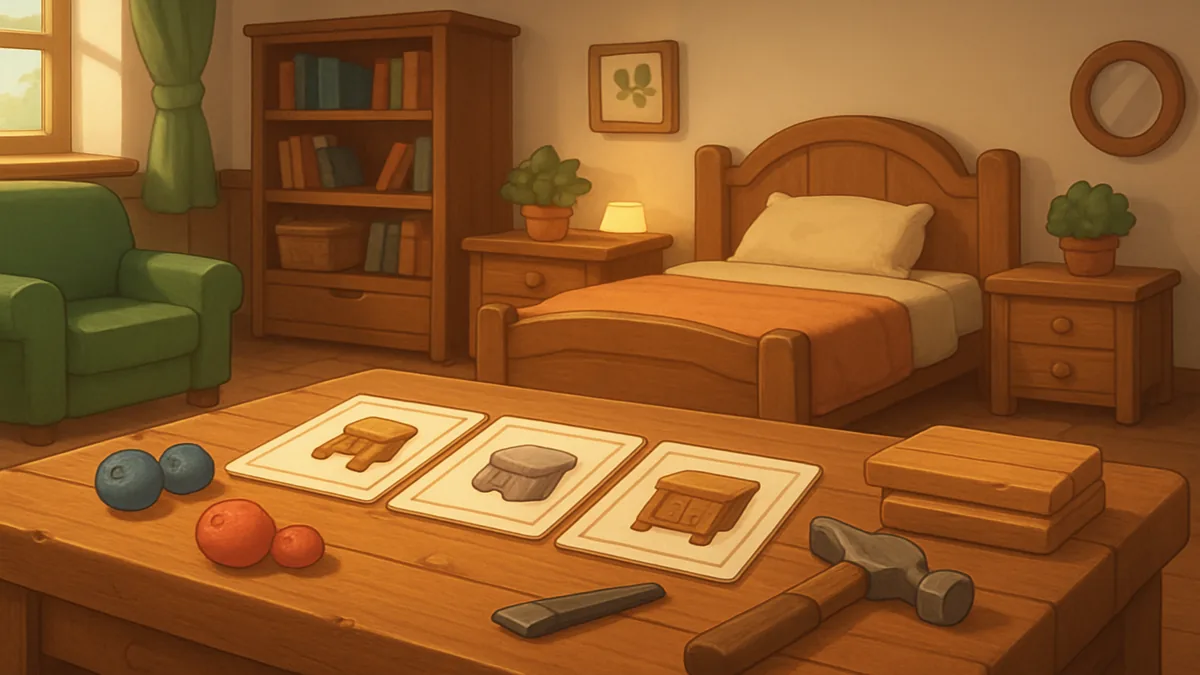
- Furniture and Decorations: Use items matching its favorite groups—soft stuff, wooden stuff, ocean vibes, spooky stuff, etc. The game shows a larger sparkle when you place a favorite match.
- Temperature: Some want warmer (Campfires, candles, sunny weather); others want cooler (remove fire, use Ice Blocks).
- Humidity: Build near water, add hydrated plants, use sprinklers or fountains, fill a Water Basin, or use Rain Dance.
- Light: Adjust brightness with lamps, candles, or torches for those who want bright conditions; remove all light sources and add a complete roof for those who want dark.
- Food: Check the Pokedex for preferred flavors and serve them directly or place them on a dish in the habitat.
The PC and the Pokemon’s dialogue tell you which category matters most right now. Fulfill the explicit request before adding random furniture.
Houses vs. Habitats: Speed Difference
A habitat is valid and can reach Awesome when it matches the Pokemon’s needs. A house is not automatic, but houses raise Comfort Level faster than open habitats, according to Serebii.
Nintendo specifically recommends building houses to improve comfort, including multi-room houses for several Pokemon. Use a house when weather, light, or shared habitat conditions keep undoing progress. Keep an outdoor habitat when the Pokemon already likes the location and its requests are easy to satisfy there.
Why Comfort Matters for Environment Level
Comfort helps raise the Environment Level of each area. Environment Level runs from 1 to 10, unlocks PC challenges and shop inventory, and can also rise through requests, restored facilities, buildings, and kits. Legendary and Mythical Pokemon can have a stronger impact when their comfort improves, according to Serebii.
Removing residents can lower the area’s score, so do not relocate a large group without checking the PC afterward. For a broader progression overview, see the Environment Level guide.
No Official Radius or Multiplier Table
There is no published official threshold table for how many objects move a Pokemon between ratings. There is also no official multiplier table assigning fixed Environment Level points to each rating. Treat the Pokemon’s feedback and the PC readout as the live source of truth. Ask and recheck the PC instead of relying on invented formulas.
Comfort Level Quick Fix
The fastest reliable route to Awesome Comfort Level in Pokemon Pokopia is to stop guessing: give the Pokemon a valid home, ask it what it needs, check the far-right tab of its Pokedex entry, and solve the request it gives you. If the request is environmental, change the habitat and ask again. If it wants food, relaxation, a toy, or decoration, use an item matching that request and, when possible, one of its listed favorites.
This page previously published an invented four-level system, numeric temperature and humidity scales, fixed furniture radiuses, and unsupported bonuses to Specialties. Those claims have been removed. The ratings and practical fixes below are tied to Nintendo, Serebii, or clearly labeled secondary gameplay references.
Use this order for a Pokemon stuck at Iffy, Average, or Nice:
- Confirm it still has a home. A removed or invalid habitat can leave it at No Home.
- Talk to the Pokemon. Ask how its comfort level is and read the highlighted need.
- Open its Pokedex entry. Check favorite things and the ideal environment rather than assuming every Pokemon of one type wants the same setup.
- Fulfill the explicit request first. A requested relaxation item, toy, decoration, food flavor, or environment change is stronger evidence than adding random furniture.
- Fix the habitat condition. Use real warmer, cooler, humid, bright, or dark methods listed below.
- Try a house. Nintendo recommends houses, and Serebii reports that comfort rises faster in a built house than in a basic habitat.
- Keep interacting. Talking and giving suitable gifts over successive days can continue raising comfort.
How to Check Comfort and Today’s Completed Requests
There are three useful views:
Talk to the Pokemon. Ask “How’s your comfort level?” to get both its current feeling and a hint. The hint can point to furniture, food, flavor, weather, light, moisture, or another habitat property.
Use the Pokemon Center PC. Open Environment Level details for the current area to review the residents and their comfort. Since version 1.1.0, the screen also indicates which comfort requests you fulfilled that day. That behavior is documented in Nintendo’s official update history.
Use the Pokedex. The far-right tab records the Pokemon’s likes and ideal environment after it has been befriended. It can include food flavors, games, toys, weather, and environmental preferences.
The three views answer different questions: the PC tells you who needs attention, dialogue tells you the current request, and the Pokedex helps you select an object or location that fits.
Furniture, Toys, Relaxation, and Favorite Items
Pokemon can request broad functional categories, including Decoration, Toy, and Relaxation. The request is not necessarily asking for one exact object. Start with an item that the game classifies in the requested category and verify the reaction after placing it.
Serebii’s favorite-item database explains why a good match matters: items matching a Pokemon’s likes improve Friendship more when gifted and make Comfy Level rise faster when used in its home or habitat. The game shows a larger placement sparkle for a favorite match.
Favorite groups are more specific than Pokemon types. Examples in the database include soft stuff, wooden stuff, ocean vibes, lots of nature, electronics, spooky stuff, and many others. A type-based furniture chart can therefore mislead you; two Pokemon sharing a type can still want different things.
For relaxation requests, use a real item classified as Relaxation. Serebii maintains a Relaxation item list, including stools, chairs, cushions, and other usable resting objects. Size matters in practice: a tiny seat may not suit a large Pokemon even when its category is correct.
How to Make a Habitat Warmer
For a Pokemon asking for a warmer home:
- Place fire-based objects such as Campfires or candles near the habitat.
- Put a roof over fire that rain could extinguish.
- Sunny weather can help warm the wider environment when that option is available.
- Ask the Pokemon again after each change.
Electric lamps are useful for brightness but should not automatically be treated as heat. The practical warmer/cooler distinction is documented in Game8’s warm habitat guide.
Do not add made-up “+2” or “+3” values to objects. Pokopia exposes requests and reactions, not the numeric temperature scale that an earlier version of this page claimed.
How to Make a Habitat Cooler
For searches such as “Pokopia cooler,” “cooler items,” or “how to make a habitat cooler,” use this sequence:
- Remove Campfires, candles, and other fire sources from the home.
- Use Ice Blocks as part of or near the living space.
- Keep electric lighting only if the Pokemon also needs brightness; electric lights do not have the same warming role as fire.
- Ask the Pokemon whether the cooler request has been fulfilled.
Game8’s cool habitat guide points to Ice Blocks and removing fire as the basic solution. It also identifies the eastern side of Palette Town as a source for Ice Blocks.
If one Ice Block does not solve the request, adjust placement or the surrounding structure and retest. Do not infer an exact count from an unofficial formula.
Humid, Bright, and Dark Habitat Fixes
Make a Habitat More Humid
- Place the home beside a body of water.
- Add flowers, trees, grass, or other vegetation and keep it hydrated.
- Use working sprinklers or fountains near water.
- Fill a Water Basin with Water Gun when a larger water source is impractical.
- Use Rain Dance to raise wider-area humidity after the relevant story progression is available.
Game8’s humidity guide documents those methods and notes that Slowpoke’s Yawn Specialty can report the humidity of the wider biome. Nintendo also explicitly names requests for more or less humidity.
Make a Habitat Brighter
- Build outdoors without cover from trees or structures.
- For a house, remove the roof or add windows where practical.
- Add candles, torches, or electric light sources.
- Remember that fire lighting needs a Burn Specialty and electric equipment needs power or a Generate Specialty.
See Game8’s bright habitat guide for the underlying methods.
Make a Habitat Darker
- Add a complete roof and remove windows.
- Remove lamps, glowing mushrooms, candles, Campfires, and other light sources.
- Build around the existing habitat or move it into a cave.
- Recheck the Pokemon after sealing stray openings.
These steps are documented in Game8’s dark habitat guide. Darkness and coolness are separate needs: removing a lamp can solve light without necessarily changing warmth.
Food, Gifts, and Daily Interaction
Food can be given directly or placed on a dish in the habitat. Check the Pokedex or current dialogue for the preferred flavor. A suitable flavor can help comfort, while a favorite gift also builds Friendship more effectively.
Continue talking and giving gifts over time. Serebii says these interactions can raise Comfy Level further, while its separate Friendship guide explains that requests, gifts, conversations, and games contribute to Friendship.
Comfort Level and Friendship are not the same meter. Comfort primarily describes how happy the Pokemon is with its home and surroundings. Friendship describes its relationship with Ditto. They influence one another, but playing a game is not a documented mandatory final condition for reaching Awesome.
Players with Bubbly Basin content also have an additional interaction: a following Pokemon with the Scrub Specialty can clean an encountered Pokemon, boosting both Comfy Level and Friendship. It is an optional later feature, not a requirement for the base comfort loop.
A Repeatable Awesome-Comfort Routine
- Open the PC and identify the lowest-comfort resident.
- Confirm its home still exists.
- Talk to it and record the current request.
- Check the Pokedex for a matching favorite or ideal condition.
- Make one evidence-based change.
- Ask again instead of filling the area with random items.
- Move it into a house if weather or shared conditions keep interfering.
- Give suitable food or gifts and continue normal interaction.
- Recheck the PC and the version 1.1.0 completed-request indicator.
This loop is faster than decorating blindly and produces a clear answer when a change does not work.
FAQ
What are the Comfort Level ratings? Iffy, Average, Nice, Great, and Awesome. No Home appears when the Pokemon lacks a valid living space.
How do I see who needs help? Use Environment Level details at the Pokemon Center PC, then talk to the specific Pokemon.
How do I reach Awesome quickly? Solve the current request, match Pokedex likes and ideal environment, and use a house when it makes the requested conditions easier to control.
How do I make a habitat warmer? Use fire-based objects such as Campfires or candles, shelter them from rain, or use sunny weather.
How do I make a habitat cooler? Remove fire and use Ice Blocks, then ask the Pokemon whether the change worked.
How do I raise humidity? Use water, hydrated plants, working fountains or sprinklers, a filled Water Basin, or Rain Dance.
Do favorite items matter? Yes. They accelerate Comfy Level growth when used in the home and improve Friendship more when gifted.
Does comfort make a Specialty stronger? The reviewed sources do not document a fixed Specialty-strength bonus. Comfort is directly important for Pokemon happiness and area Environment Level.
Sources and Correction Note
- Nintendo: official comfort, PC, Pokedex, house, and request tips
- Nintendo Support: version 1.1.0 comfort-request tracking
- Serebii: Environment Level and the five Comfy Level ratings
- Serebii: favorite item categories and their Comfort/Friendship effects
- Nintendo Life: checking comfort, food, houses, and Pokedex likes
- Game8: warm, cool, humid, bright, and dark habitat methods
This page was fact-corrected on September 6, 2026. Email contact@pokopia.center with the page URL and current in-game or official evidence if a later update changes a comfort interaction.