If you want more people visiting your island in Pokemon Pokopia, posting your code is only half the job. The other half is making sure the island is actually ready for visitors. A public Cloud Island Address can bring attention, inspiration, and community sharing, but it can also expose unfinished sections, confusing pathing, and clutter you forgot to clean up.
This guide shows how to share your Pokopia world code safely, what to review before syncing, and how to make your island worth visiting. If you still need the basics of the code system itself, start with our Pokopia world codes guide.
Which Code You Should Share
For public visits, the correct code is your Cloud Island Address.
Do not post a Link Code unless you want people to join you live right now. A Link Code is for real-time multiplayer. A Cloud Island Address is for persistent island visits and is the better choice for:
- social posts
- build showcases
- community tours
- inspiration threads
- creator portfolios
If you are not sure which one you need, our world codes guide breaks down the difference clearly.
Step 1: Prepare the Island Before You Sync
The biggest mistake is syncing too early. Once you share your address, players will judge the island they land in, not the version you plan to finish later.
Before you upload:
- clear random storage piles near the spawn
- remove half-built test structures from visible routes
- check for ugly terrain cuts or abandoned farm rows
- make sure signs and bulletin boards say what you want them to say
- verify that rare Pokemon habitats still look intentional and not accidental
Your first screen matters more than the rest of the island. If the arrival zone looks messy, many visitors will leave before they see your best area.
Step 2: Set Safe Visitor Permissions
If you are sharing the address publicly, treat the island like a showroom. Public visitors should not need full interaction permissions.
For most creators, the best setup is:
- public access on
- read-only visit mode
- live building permissions off
- no storage interaction
- no terrain editing
This gives visitors the full tour without letting a public share turn into an active multiplayer risk. If you want real collaboration, use a separate live session with a Link Code and invite only the players you trust.
Step 3: Make the Spawn Area Strong
Most people decide within seconds whether they want to keep exploring. That makes the spawn point the most important part of the whole island.
A good arrival zone should have:
- a clear walking direction
- one strong visual focal point
- immediate proof that the island has a theme
- clean lighting if the game loads at night
- signs or landmarks that guide the route naturally
Think of it like a landing page. You do not need to show everything at once. You only need to make the next ten steps obvious and interesting.
Step 4: Give Visitors an Easy Tour Route
The easiest way to improve visitor retention is to design a simple touring loop. Do not make people guess where the good parts are.
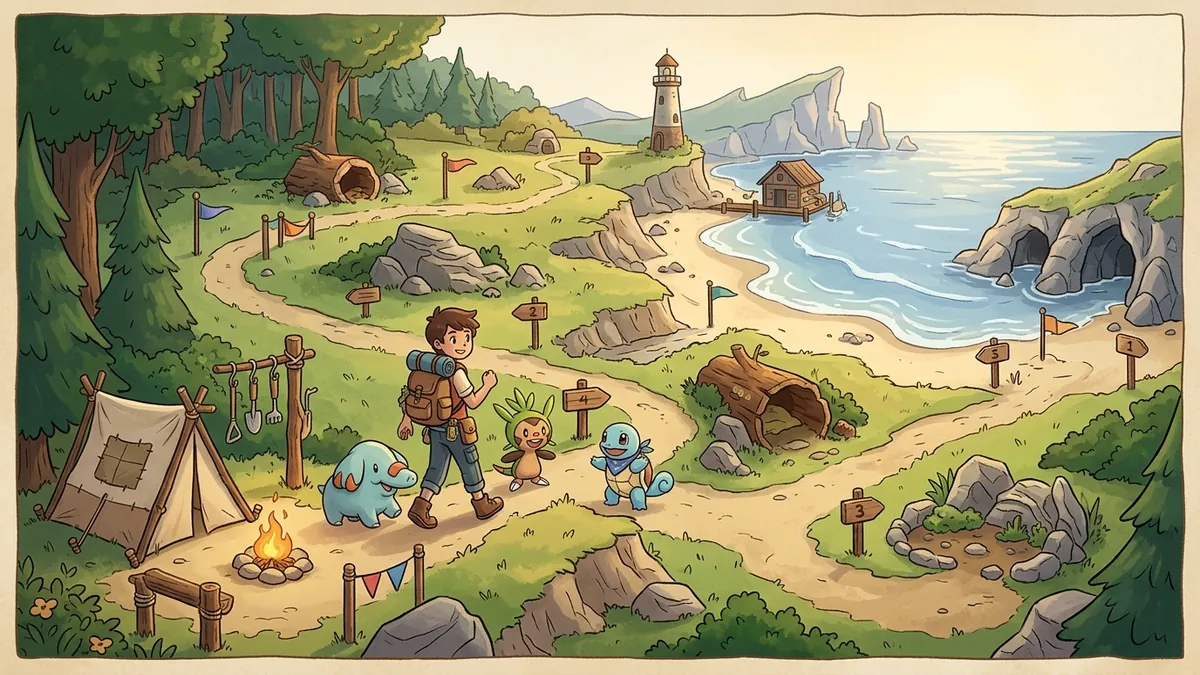
The strongest islands usually use this structure:
- Spawn point and welcome area
- Central plaza or signature build
- Farm or habitat district
- Scenic or rare Pokemon zone
- Final screenshot spot
This works because it creates momentum. Players feel like they are progressing through the island instead of wandering randomly.
If you want your world to look better in tours, pair this with the pathing and layout ideas from our dream island designs guide.
Step 5: Show One Strong Theme
Many islands fail because they try to do everything at once. A public island is easier to remember when it has one clear identity.
Good examples:
- cozy forest town
- beach resort
- floating garden island
- rare Pokemon sanctuary
- market village
- mountain shrine route
You can still have multiple districts, but one theme should dominate the first impression. Visitors remember clarity much more than raw complexity.
Step 6: Post the Code in the Right Places
Sharing the address is not just about posting it anywhere. You want places where people already browse for ideas.
The best places are:
- Discord communities
- Reddit build threads
- creator comment sections
- social posts with screenshots
- group chats with friends who also play
When you post the code, add one sentence that tells people why they should visit. Do not just drop the address by itself. Give them a reason:
- rare habitat layout
- efficient berry farm
- best-looking market street
- cozy night lighting
- visitor-friendly starter island
That single line improves click-through much more than most players realize.
Step 7: Re-Sync After Meaningful Upgrades
Do not spam updates after every small decoration move. Re-share the island when something meaningful changed:
- a new district is finished
- the lighting pass is complete
- the habitat layout is improved
- a seasonal event area is ready
- the entrance route is clearer than before
This gives your audience a real reason to revisit instead of seeing almost the same island every time.
Common Reasons Public Island Shares Fail
The code is posted with no context
Players scroll past raw codes unless the island promises something specific.
The entrance is cluttered
If visitors spawn into storage boxes, random crops, and unfinished blocks, they assume the rest of the island is the same.
The island has no route
Even strong builds underperform when the visitor cannot tell where to walk.
The theme is too broad
An island that tries to be farm, city, shrine, cave, event zone, and market all at once usually feels unfocused.
The host shared the wrong code
This still happens often. Players sometimes post a Link Code when they really meant to share a Cloud Island Address.
A Fast Pre-Share Checklist
Use this before you post your address anywhere:
- spawn area cleaned
- main route obvious
- permissions checked
- storage hidden or organized
- signs reviewed
- latest save synced
- one screenshot ready for the post
- short description prepared
If all eight are done, your island is ready for public traffic.
Should You Make Separate Islands For Different Goals?
If you play a lot, yes. Many strong Pokopia players effectively maintain different versions of the same space:
- a practical island for farming and daily loops
- a polished island for public tours
- a live session setup for trusted multiplayer friends
You do not always need separate saves, but you do need to decide which version you are sharing. A farm-optimized layout is not always a great showcase island, and a showcase island is not always ideal for live co-op.
FAQ
How do I share my Pokopia world code?
Enable Cloud Islands, sync the island, open the Social menu, and copy your Cloud Island Address.
Is it safe to post my code publicly?
Yes, if you keep visitors in read-only mode and review your island before syncing.
Can people damage my island from a public code?
Normally no. Public Cloud Island visits are usually read-only.
Why are people not staying on my island?
The usual causes are a weak spawn area, messy pathing, and no clear theme.
Should I share a Link Code instead?
Only if you want live multiplayer right now. For public visits, share the Cloud Island Address.
What kind of island gets the most visitors?
Islands with a clear theme, good screenshots, and an easy-to-follow tour route tend to perform best.
Should I post screenshots with the code?
Yes. A screenshot plus one clear promise gives much better results than dropping a code by itself.
What should I read next?
Start with the Pokopia world codes guide, then use the dream island designs guide to improve the island before you share it.